
Air 3S Guide: Inspecting Vineyards at High Altitude
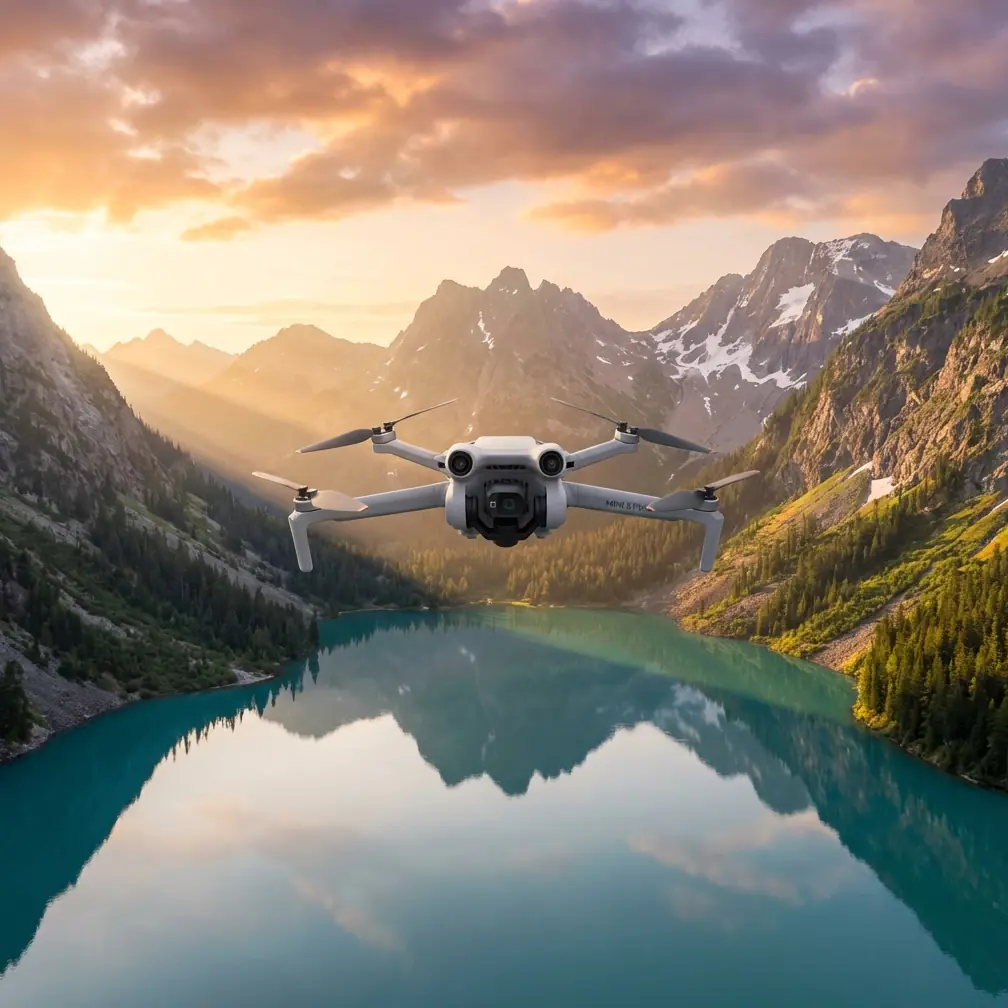
Air 3S Guide: Inspecting Vineyards at High Altitude
META: Master vineyard inspections at high altitude with the Air 3S. Learn optimal flight settings, obstacle avoidance tips, and pro techniques for precision agriculture.
TL;DR
- Optimal flight altitude for vineyard inspection sits between 15-30 meters depending on canopy density and terrain slope
- The Air 3S's 1-inch CMOS sensor captures vine health details invisible to the naked eye
- Omnidirectional obstacle sensing prevents costly crashes among trellis systems and support wires
- D-Log color profile preserves maximum data for post-processing NDVI-style analysis
Vineyard managers lose thousands annually to undetected vine stress, pest damage, and irrigation failures. The Air 3S transforms how you monitor high-altitude vineyards by combining professional imaging capabilities with intelligent flight systems designed for complex agricultural terrain.
This guide breaks down exactly how to configure your Air 3S for vineyard inspections, what altitude delivers the best results, and which features matter most when flying among rows of vines at elevation.
Why High-Altitude Vineyards Present Unique Challenges
Vineyards planted above 500 meters elevation face inspection difficulties that lowland operations never encounter. Thinner air reduces lift efficiency. Unpredictable mountain winds create turbulence between vine rows. Steep terrain angles make maintaining consistent altitude above the canopy nearly impossible without intelligent flight assistance.
Traditional inspection methods—walking rows or using ground vehicles—miss early-stage problems hidden beneath leaf canopy. By the time symptoms become visible from ground level, damage has already spread.
The Air 3S addresses these challenges through several integrated systems working together.
Thin Air Performance
At 1,500 meters elevation, air density drops by approximately 15% compared to sea level. This reduction affects both lift generation and battery efficiency. The Air 3S compensates through its advanced flight controller, which automatically adjusts motor output to maintain stable hover and responsive control.
Expect 28-32 minutes of flight time at moderate elevations, dropping to 24-28 minutes above 2,000 meters. Plan your inspection routes accordingly.
Wind Resistance in Mountain Terrain
Mountain vineyards experience wind patterns that shift rapidly as air moves across ridges and through valleys. The Air 3S handles sustained winds up to 12 m/s and gusts beyond that threshold. Its compact frame and low drag profile reduce the buffeting effect common with larger inspection drones.
Expert Insight: Schedule vineyard flights during the two hours after sunrise when thermal activity remains minimal. Mountain winds typically increase throughout the day as slopes heat unevenly.
Configuring Your Air 3S for Vineyard Inspection
Proper configuration before launch determines inspection quality. These settings optimize the Air 3S specifically for vineyard environments.
Camera Settings for Vine Health Analysis
The 1-inch CMOS sensor with f/2.8 aperture captures detail that smaller sensors miss. For vineyard inspection, configure these parameters:
- Photo format: RAW (DNG) for maximum post-processing flexibility
- Color profile: D-Log for extended dynamic range
- ISO: Keep below 400 to minimize noise in shadow areas
- Shutter speed: 1/500 minimum to eliminate motion blur
- White balance: Manual, set to 5600K for consistent color across flights
D-Log appears flat and desaturated in preview, but this profile preserves critical color data in both highlights and shadows. When analyzing vine stress, subtle color variations between healthy and struggling plants become visible only with proper color grading applied to D-Log footage.
Flight Mode Selection
For systematic vineyard coverage, Waypoint Flight mode delivers repeatable results. Program your route once, then fly identical paths throughout the growing season. This consistency enables accurate comparison between inspection dates.
ActiveTrack serves a different purpose—following specific rows or individual workers during targeted assessments. The system locks onto subjects and maintains framing automatically, freeing you to focus on observation rather than stick control.
Pro Tip: Create separate waypoint missions for each vineyard block. Name them by block identifier and save them permanently. Consistent flight paths make seasonal comparison dramatically easier.
Optimal Flight Altitude: The Critical Variable
Flight altitude determines what your camera can resolve. Too high, and individual vine details blur together. Too low, and you waste time covering ground while risking collision with trellis systems.
The 15-30 Meter Sweet Spot
For most vineyard inspections, maintain altitude between 15-30 meters above canopy level—not above ground. This distinction matters on sloped terrain where ground elevation changes constantly.
At 15 meters above canopy:
- Individual leaf clusters become distinguishable
- Irrigation line placement visible
- Missing or dead vines immediately apparent
- Ground sample distance approximately 0.4 cm/pixel
At 30 meters above canopy:
- Full row patterns visible in single frame
- Faster coverage of large blocks
- Canopy density variations clear
- Ground sample distance approximately 0.8 cm/pixel
Terrain Follow Mode
The Air 3S's terrain following capability maintains consistent altitude above ground as elevation changes. Enable this feature when inspecting hillside vineyards where slope exceeds 10 degrees.
Without terrain follow, a drone programmed to fly at 25 meters above the launch point might find itself 40 meters above downslope vines and only 15 meters above upslope sections. This inconsistency ruins data quality.
Technical Comparison: Air 3S vs. Common Alternatives
| Feature | Air 3S | Mini 4 Pro | Mavic 3 Classic |
|---|---|---|---|
| Sensor Size | 1-inch CMOS | 1/1.3-inch | 4/3 CMOS |
| Max Flight Time | 46 minutes | 34 minutes | 46 minutes |
| Obstacle Sensing | Omnidirectional | Tri-directional | Omnidirectional |
| Wind Resistance | 12 m/s | 10.7 m/s | 12 m/s |
| Weight | 720g | 249g | 895g |
| Waypoint Flight | Yes | Limited | Yes |
| D-Log Support | Yes | Yes | Yes |
| Transmission Range | 20 km | 20 km | 15 km |
The Air 3S occupies the middle ground—more capable than the Mini 4 Pro for professional inspection work, yet more portable than the Mavic 3 Classic for hiking into remote vineyard locations.
Obstacle Avoidance in Vineyard Environments
Vineyards present obstacle challenges unlike any other agricultural setting. Trellis wires stretch between posts at heights that intersect typical flight paths. End-row posts often extend above vine canopy. Bird netting creates nearly invisible barriers during certain seasons.
How Omnidirectional Sensing Helps
The Air 3S detects obstacles in all directions simultaneously—forward, backward, left, right, above, and below. When flying between rows, the system identifies approaching trellis posts and adjusts course automatically.
This sensing works best when you:
- Maintain speeds below 8 m/s in complex environments
- Keep obstacle avoidance set to "Brake" rather than "Bypass"
- Avoid flying directly into sun, which can blind forward sensors
Limitations to Understand
No obstacle sensing system detects thin wires reliably. Trellis wire, bird netting support lines, and guy wires remain largely invisible to current sensor technology. Always:
- Scout new vineyards on foot before flying
- Mark wire locations on your flight planning map
- Maintain minimum 3 meters horizontal clearance from any known wire
Expert Insight: Create a "wire map" for each vineyard you inspect regularly. Note post locations, wire heights, and any temporary structures like harvest bins or spray equipment. Update this map each season.
Leveraging QuickShots and Hyperlapse for Documentation
Beyond technical inspection data, vineyard owners increasingly want visual documentation for marketing, investor presentations, and historical records.
QuickShots for Dramatic Reveals
The Dronie QuickShot pulls backward and upward from a starting position, revealing vineyard scale dramatically. Position your starting point at a distinctive feature—a historic building, unique vine formation, or scenic overlook.
Rocket ascends straight up while keeping the camera pointed downward, perfect for showing row patterns and block layouts.
Hyperlapse for Seasonal Change
Program identical Hyperlapse routes at the same time of day across multiple visits. The resulting time-compressed videos show:
- Bud break progression
- Canopy development
- Veraison color changes
- Harvest activity
- Post-harvest dormancy
These visual records prove valuable for both operational analysis and marketing content.
Common Mistakes to Avoid
Flying too fast during inspection passes. Speed above 5 m/s during detailed inspection causes motion blur and reduces image overlap for mapping applications. Slow down.
Ignoring battery temperature warnings. High-altitude locations often experience cold mornings. Batteries below 15°C deliver reduced capacity and may trigger automatic landing. Warm batteries in your vehicle before flight.
Skipping compass calibration after travel. Driving to a new vineyard location changes your magnetic environment. Calibrate before every flight at a new site, even if the app doesn't prompt you.
Using automatic exposure for mapping flights. Automatic exposure adjusts between frames, creating inconsistent brightness across your image set. Lock exposure manually before beginning systematic coverage.
Neglecting to check airspace restrictions. Some wine regions fall within controlled airspace near regional airports. Verify authorization requirements before every flight using official airspace apps.
Frequently Asked Questions
What camera settings best reveal vine stress before visible symptoms appear?
Shoot in D-Log color profile with RAW capture enabled. During post-processing, push saturation in the red and near-infrared channels. Stressed vines reflect light differently than healthy plants, and these differences become visible when you manipulate color data that D-Log preserves. While the Air 3S lacks dedicated multispectral sensors, careful processing of standard RGB imagery reveals surprising detail about plant health.
How do I maintain consistent altitude on steep vineyard slopes?
Enable terrain follow mode in your flight settings, then set your desired altitude above ground level rather than above takeoff point. The Air 3S uses its downward sensors combined with mapping data to adjust altitude continuously as terrain changes. For slopes exceeding 25 degrees, reduce flight speed to give the system time to respond to rapid elevation changes.
Can I fly the Air 3S in light rain during critical inspection windows?
The Air 3S lacks official weather sealing, and moisture exposure voids warranty coverage. Light mist may not cause immediate failure, but water intrusion damages electronics over time. If inspection timing conflicts with weather, wait for conditions to improve or invest in a weather-resistant drone designed for agricultural applications.
Vineyard inspection demands equipment that handles challenging terrain, captures meaningful data, and survives the rigors of regular agricultural use. The Air 3S delivers professional results in a package portable enough to carry into remote high-altitude locations where vehicle access proves impossible.
Master the altitude guidelines, configure your camera properly, and respect the limitations of obstacle sensing systems. Your inspection data quality will improve immediately.
Ready for your own Air 3S? Contact our team for expert consultation.